
Download
Download ReyConnect. You do not need to install .NET or WireGuard separately.

Play LAN games with your friends over the internet.
ReyConnect puts you and your friends on one virtual network. Everyone gets a virtual IP and can connect as if on the same local network.
Some games offer multiplayer only on a local network (LAN) or by entering an IP address directly. ReyConnect joins you to one shared virtual network through a WireGuard tunnel, so friends can join your game using your virtual IP.
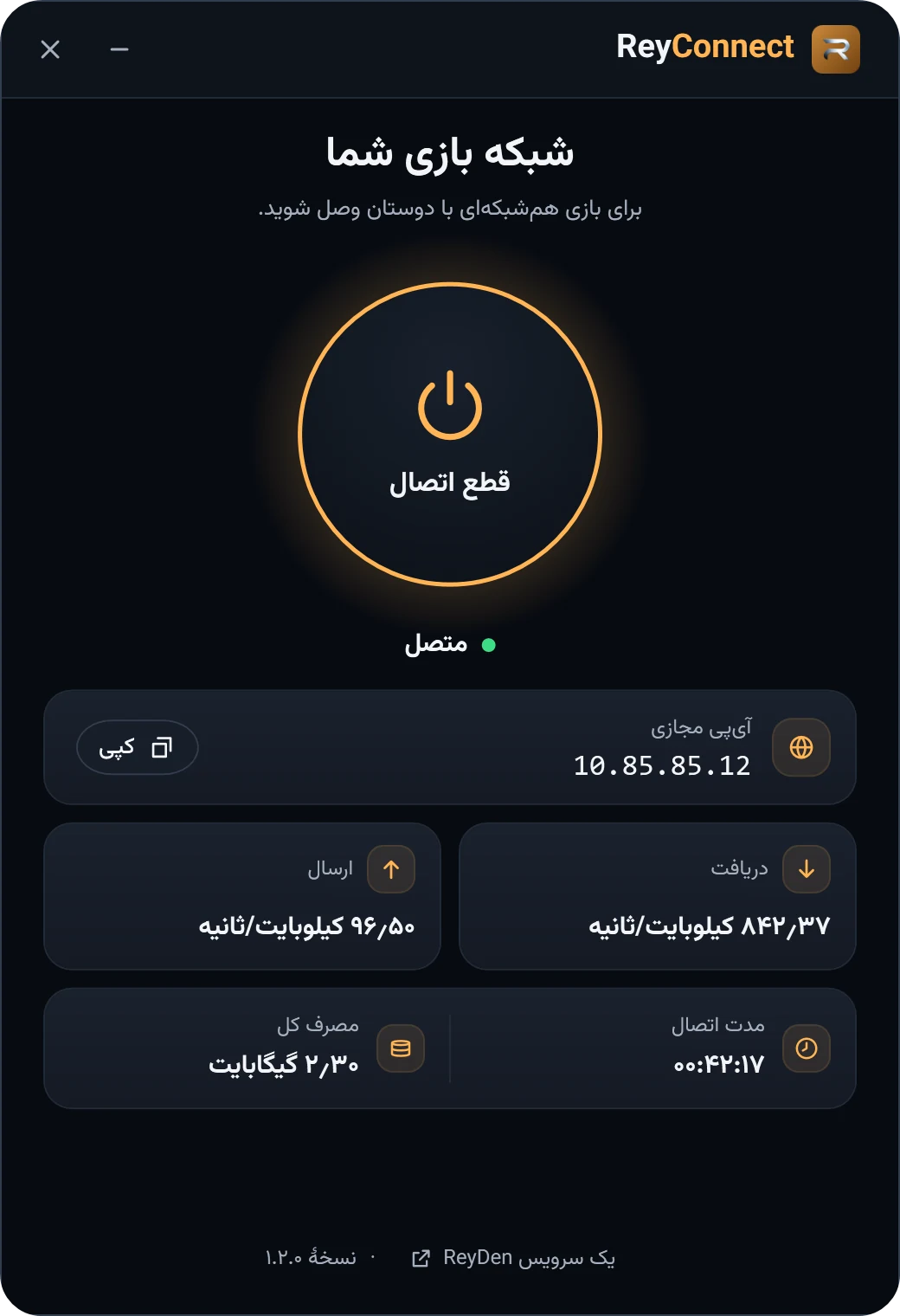
After you connect, the app shows your virtual IP and copies it with one click.
Only game-network traffic goes through the tunnel. Your normal internet route and system DNS are left alone.
Connection status, upload and download totals and the session timer sit in one window. Minimize it and the app moves to the system tray.
Download ReyConnect. You do not need to install .NET or WireGuard separately.
Right-click the app and choose Run as administrator. Creating the tunnel needs Windows administrator rights.
Press Connect and send your virtual IP to your friends. Once everyone is connected, join in the game by direct IP or its LAN option.
You do not need to sign in with a ReyDen account to connect.
Connection status, virtual IP and session stats in one small window.
No. You do not need to sign in with a ReyDen account to connect.
It depends on the game. ReyConnect has no list of verified games. If the game can join by direct IP, enter the host virtual IP. The app does not provide automatic lobby discovery (broadcast).
We do not claim any latency improvement. Traffic between players goes through the network server, not directly.
Creating and removing the WireGuard tunnel on Windows requires them. Disconnect removes the tunnel the app created.
Download ReyConnect, connect and send your virtual IP.